See Staged. in action
Real views from inside the platform — from the main dashboard down to individual project timelines, budgets, and team permissions.
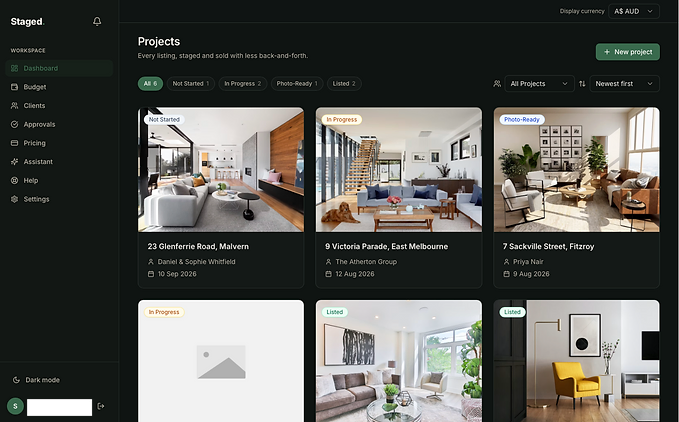
Your projects, at a glance
The main dashboard shows every active listing as a card with a status badge — Not Started, In Progress, Photo-Ready, or Listed. Filter by stage, sort by newest, and jump into any project with a click.

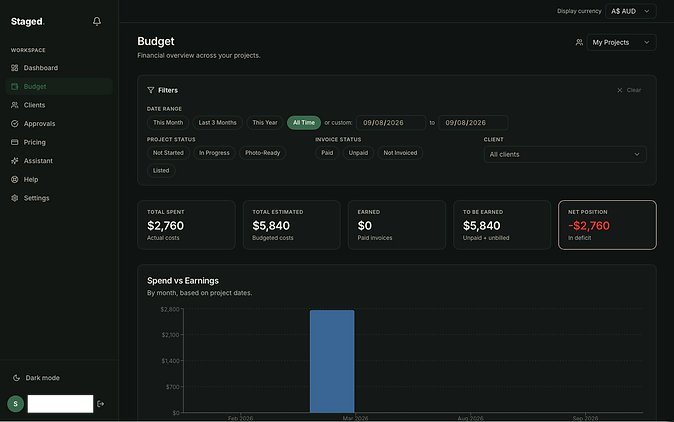
Every dollar, tracked
The Budget workspace tab rolls up estimated and actual spend, earned revenue, and net position across all projects. Filter by date range, status, or client to drill into exactly the numbers you need.
Inside a project
Each project detail page is a shared workspace for everyone involved — milestones on a timeline, room-by-room budget line items, client share links, and granular collaborator permissions that control exactly what each team member can view and submit.

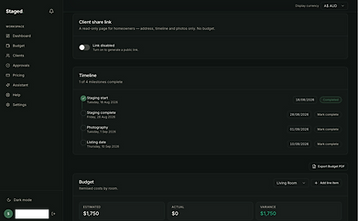
Timeline & Budget

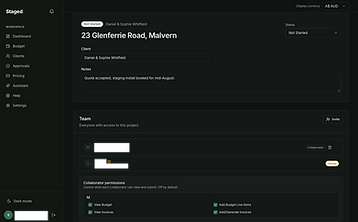
Team & Permissions

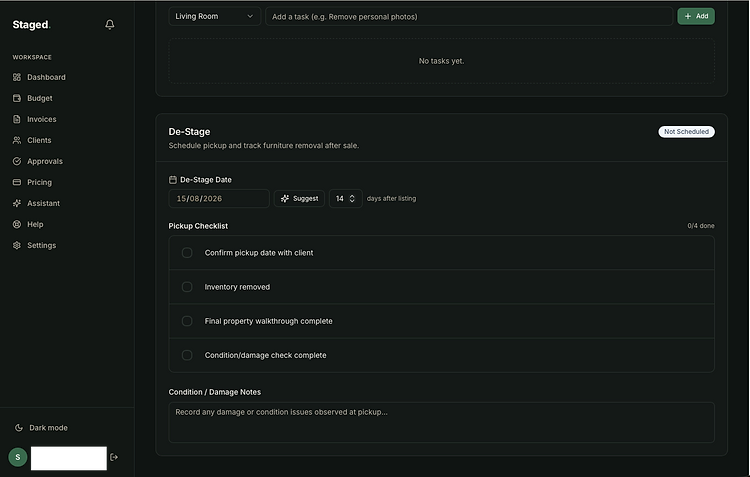
De-Stage: from listing to pickup
No staging platform tracks what happens after the sale — until now. De-Stage lets you schedule furniture pickup, run a removal checklist, and log condition notes so nothing falls through the cracks once the property is listed.
It's a feature no competitor offers, and it's constantly evolving based on how stagers and agents actually use it in the field.
What you've seen is just the surface.
Every subscription unlocks a growing set of tools built specifically for how stagers and agents actually work together — approval workflows, collaborative permissions, shared budgets, and more we're not showing here yet.
Some things are better shown than told. Start your free trial to see the rest.